TV Time shut down. Here's where to go next.
Will Watch is a free movie and TV tracker (no subscriptions) that can import the data export TV Time sent you.


 On a computer? Scan to get the app on your phone.
What happened to TV Time
TV Time closed on July 15, 2026. Its parent company, Whip Media, said running the free app wasn't financially sustainable and that demand for a paid version was too weak to replace it. The app was pulled from the App Store and Google Play, and account data was deleted after that date.
Will Watch, plainly
Movies and TV shows live in one watchlist, you get notified when a new episode drops, and you can see which streaming service has a title based on where you live. Will Watch also has Movie Match: you and a friend swipe on titles, and get matched the instant you both like the same one.
Free to use. No subscriptions, not now, not later. That's not a launch promo, it's the whole business model.
How it compares to the other options
Most people who left TV Time have landed on Trakt, Simkl, or Serializd. Here's where each one actually stands as of August 2026, as plainly as we can put it:
| App | Free tier | Paid tier |
|---|---|---|
| Will Watch | Everything, no limits | None -- not now, not later |
| Trakt | Capped at 2 lists (100 items each), 100-item watchlist, 1 connected app | VIP, $60/year (doubled from $30 in the last year) |
| Simkl | No connection limits | VIP, $1/month, optional |
| Serializd | Full tracking and social features | $3/month via Patreon, removes ads and adds a dark theme |
Trakt's free-tier limits and pricing above reflect changes made in 2026. Worth checking each app's own site for their current terms before you commit your watch history to one.
Importing your TV Time history
If you exported your data from TV Time before it closed, you'll have a .zip file TV Time emailed you. Bring it into Will Watch:
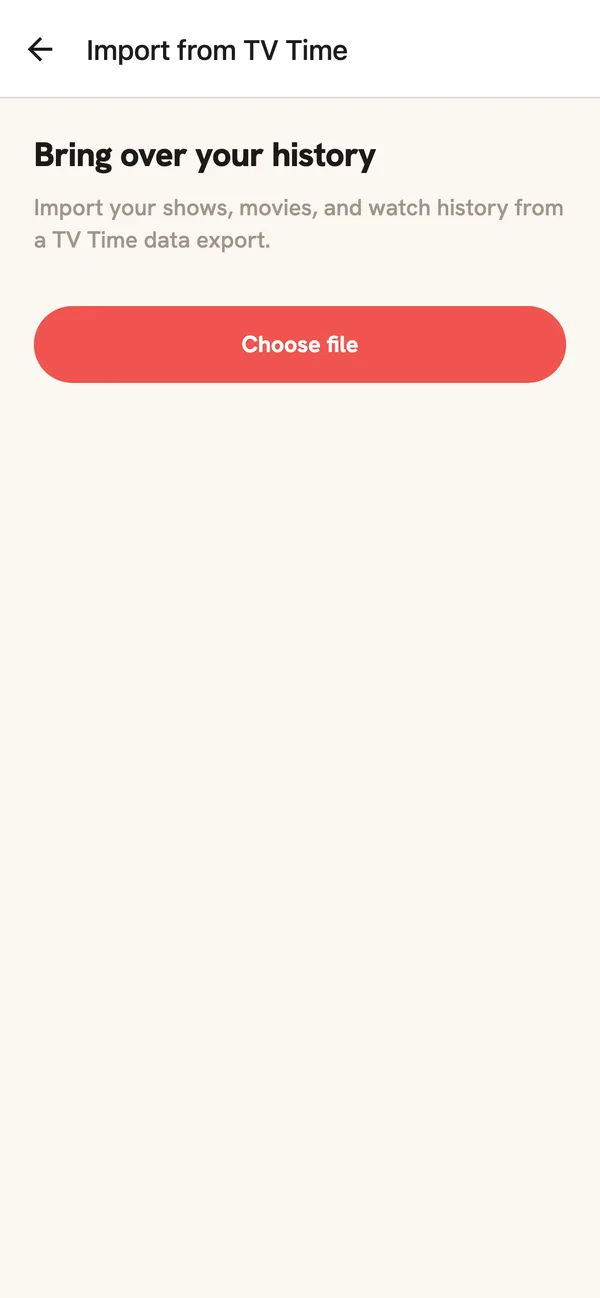
- Install Will Watch and create an account (or sign in, if you already have one).
- Open Import from TV Time: it's offered during sign-up, or later from Settings.
- Choose the .zip file TV Time emailed you.
- Review and confirm: Will Watch matches your shows and movies and adds them to your watchlist.
Didn't get an export before TV Time closed? You can still start fresh. There's just nothing to import.